PhoneMic
PhoneMic turns an Android phone into a microphone for Windows. The phone listens, the PC receives the sound over Wi-Fi or a USB cable, and Discord, Zoom, OBS and every other program see it as an ordinary microphone. You pair once, by QR code, and from then on it is one tap on the phone.
Apps that do this already exist, and they tend to fail in the same two ways: the connection drops after a while, and getting it going is fiddly. PhoneMic is built around doing neither.
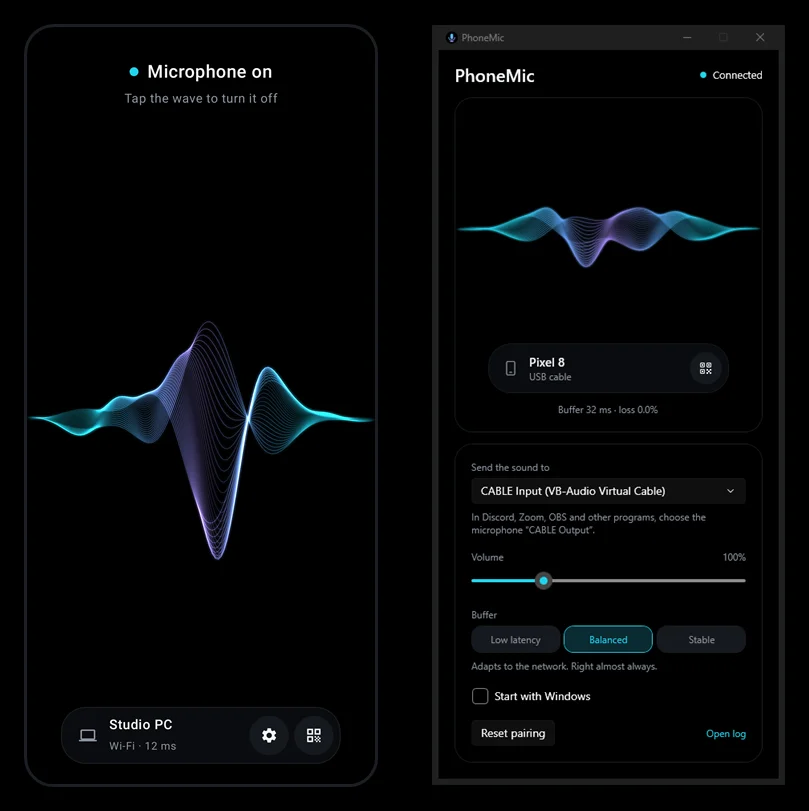
The wave is the switch
There is almost nothing on the phone screen. In the middle is a wave, and it is also the switch: tap it and the microphone is on, tap again and it is off. On the phone the wave swells with your voice; in the PC window it is drawn from the audio that actually arrived, so it shows that the link is alive, not just that the phone hears something.
The dot above the wave says what is going on: red when the microphone is off, amber while the phone looks for the PC, cyan when you are live. At the bottom is an island with the paired PC, the link and its latency; it also holds the gear for noise suppression and the QR button to pair a different PC.
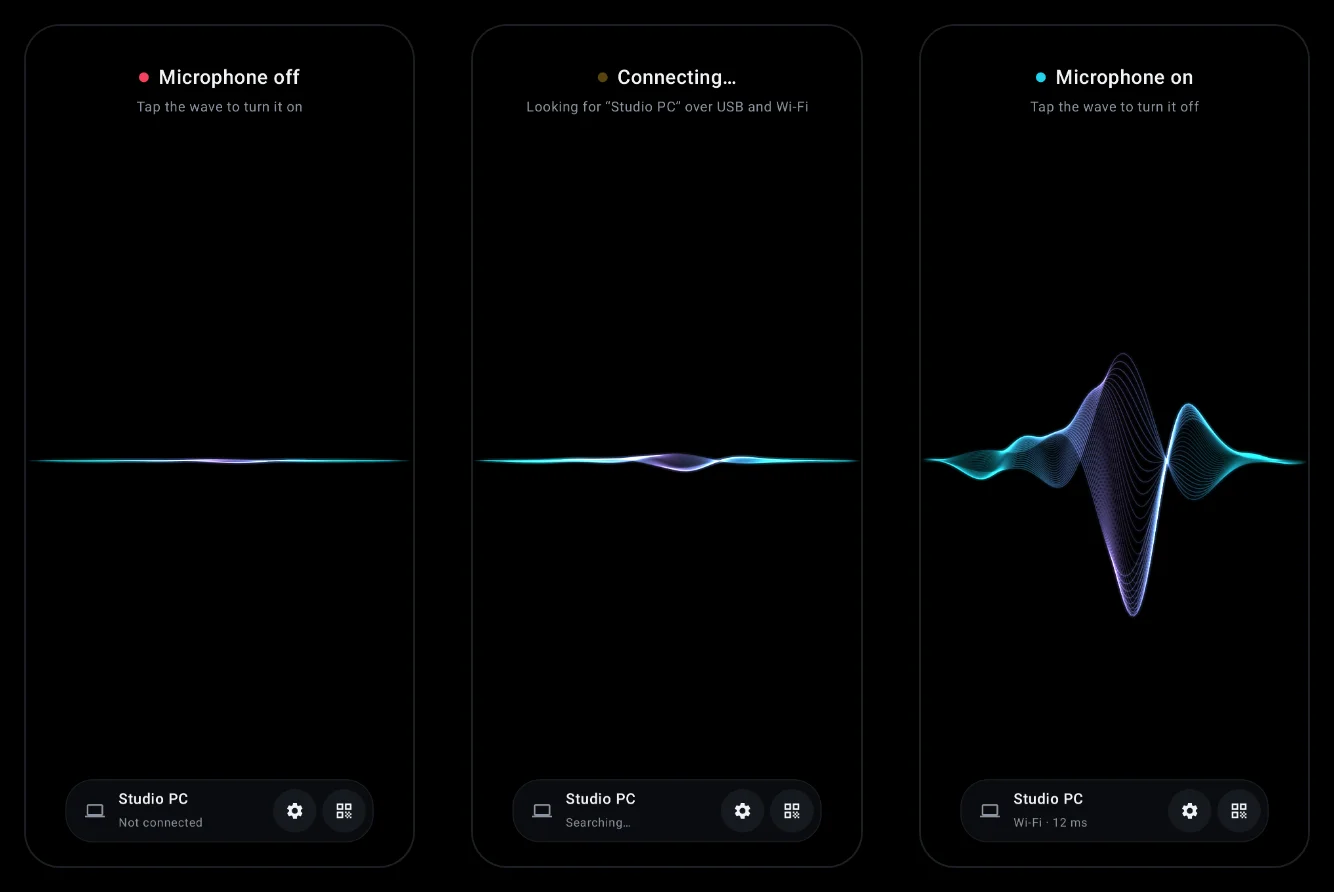
The wave is not an animation from a file but one twisted ribbon of thirty-four
thin lines. Each line mixes two wave shapes, cos θ · f(x) + sin θ · g(x), with
θ stepping across the bundle. Where both shapes cross zero the lines pinch into
a knot; elsewhere they fan out, and that is where the depth comes from. It is
all drawn twice, additively: wide and faint for the glow, then thin and bright.
Off, the ribbon collapses into a dim thread; while connecting, it breathes.
Both apps are true black, which on an OLED screen costs no light at all.
Two roads
Over Wi-Fi the sound travels as UDP, in 10 ms packets, one packet per datagram.
Over USB it is TCP through adb reverse, and the phone dials 127.0.0.1. The
cable needs nothing but USB debugging: the PC app sets up the port for every
connected phone by itself, and repairs it if some other program restarts the adb
server.
The phone always tries the cable first. Pull the cable and the stream moves to Wi-Fi at once. Plug it back in and a few seconds later, once the cable has clearly stayed put, it returns to USB. The microphone never switches off in between.
On the network the phone looks for the PC at every address the QR code carried, and if none answers, with a broadcast hello. A new IP from the router does not break pairing.
So that the link does not die with the screen, recording runs in a foreground service with wake and Wi-Fi locks: Android can neither mute the app nor let the radio doze. If the link drops anyway, both sides bring it back by themselves. Three seconds of silence from the other side count as a drop, and the phone goes back to saying hello until it gets through.
Over the cable latency is about 30 ms, over Wi-Fi 50–100.
The buffer
Wi-Fi delivers packets unevenly, and all of PhoneMic's difficulty lives in the buffer on the PC that hides it.
Every packet carries a sequence number, so it is known when it would have arrived on a perfect network. The earliest recent arrival is the baseline; lateness is how far behind it a packet lands. The baseline creeps upward slowly, half a millisecond per second, so a phone whose clock runs a little slower than the PC's is not mistaken for growing jitter.
The buffer remembers the worst lateness for a long time, because Wi-Fi hiccups come in waves, but with a cap. A half-second stall, such as a Wi-Fi scan, cannot be buffered away without making every call lag, so it is allowed to glitch once.
The gap between how much audio the buffer holds and how much it needs is closed where nobody can hear it. Pauses in speech do most of the work: with too much audio, quiet 5 ms stretches are dropped; with too little, a pause is stretched by 5 ms. A signal without pauses is left with playback speed, which the buffer nudges by at most 1%. If the audio does run out, it fades rather than clicking into silence.
There are three modes: Low latency, 20–40 ms, for the cable or excellent Wi-Fi; Balanced, the default, usually 50–100; and Stable, 100–150, for a crowded or weak network.
Checking without a voice
The protocol is written down together with the exact bytes of reference packets, and both sides, Kotlin and C#, check those very bytes in their tests. Change the format on one side and the tests on the other fail.
The buffer runs on a virtual clock against a simulated network: ten minutes of
bad Wi-Fi with drifting clocks pass in a few seconds. Checking the whole chain
needs nobody to speak: in debug mode the phone plays a 1 kHz tone, and probe
records what comes out of the virtual cable and reports frequency, level and
dropouts.
Get it
Windows cannot turn a program's sound into a microphone without a driver, so PhoneMic plays into VB-Audio Virtual Cable, a free virtual audio device. Its other end, CABLE Output, is the microphone you pick in Discord, Zoom or OBS.
The app is on GitHub under MIT,
with builds in the latest release:
the .apk for the phone and the .exe for the PC. It needs Windows 10 or 11
with VB-Audio Virtual Cable, and Android 8.0 with
Google Play services for the built-in QR scanner. For Wi-Fi the phone and the PC
have to be on the same network; for the cable, USB debugging on the phone and
adb on the PC.
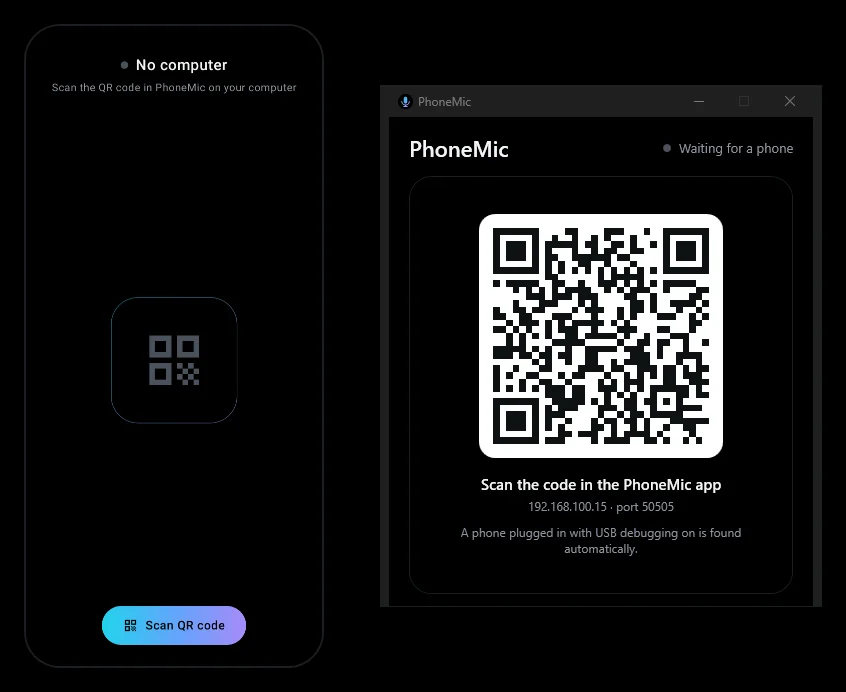
No account, no cloud, no analytics: the sound goes straight from the phone to the PC. There is no encryption — the code in the QR keeps other devices from wandering into your microphone by accident, but does not protect against someone listening on the network on purpose. On a network you do not trust, use the cable.
10/1/2026